Visual Product Tour

See It In Action

Take a walkthrough of every feature before you sign up. See exactly what you'll get — for free, with no surprises.

Getting Started

Simple, Secure Sign-Up

Create your free account in seconds. We only ask for an email and password — nothing else.
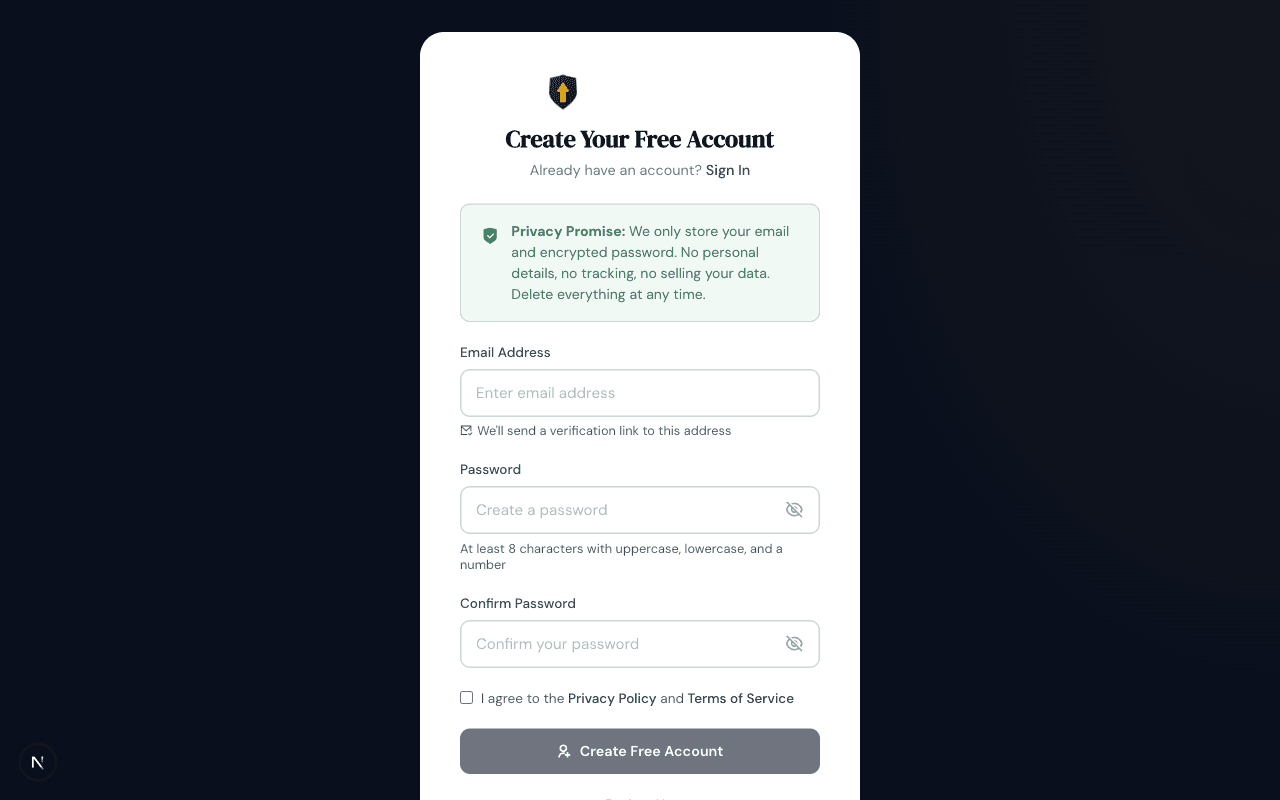
Registration page showing email and password fields with privacy promise
Create Your Free Account

Just an email and password — that's it. Notice the Privacy Promise banner at the top: we only store your email and an encrypted password. No names, no addresses, no card numbers.

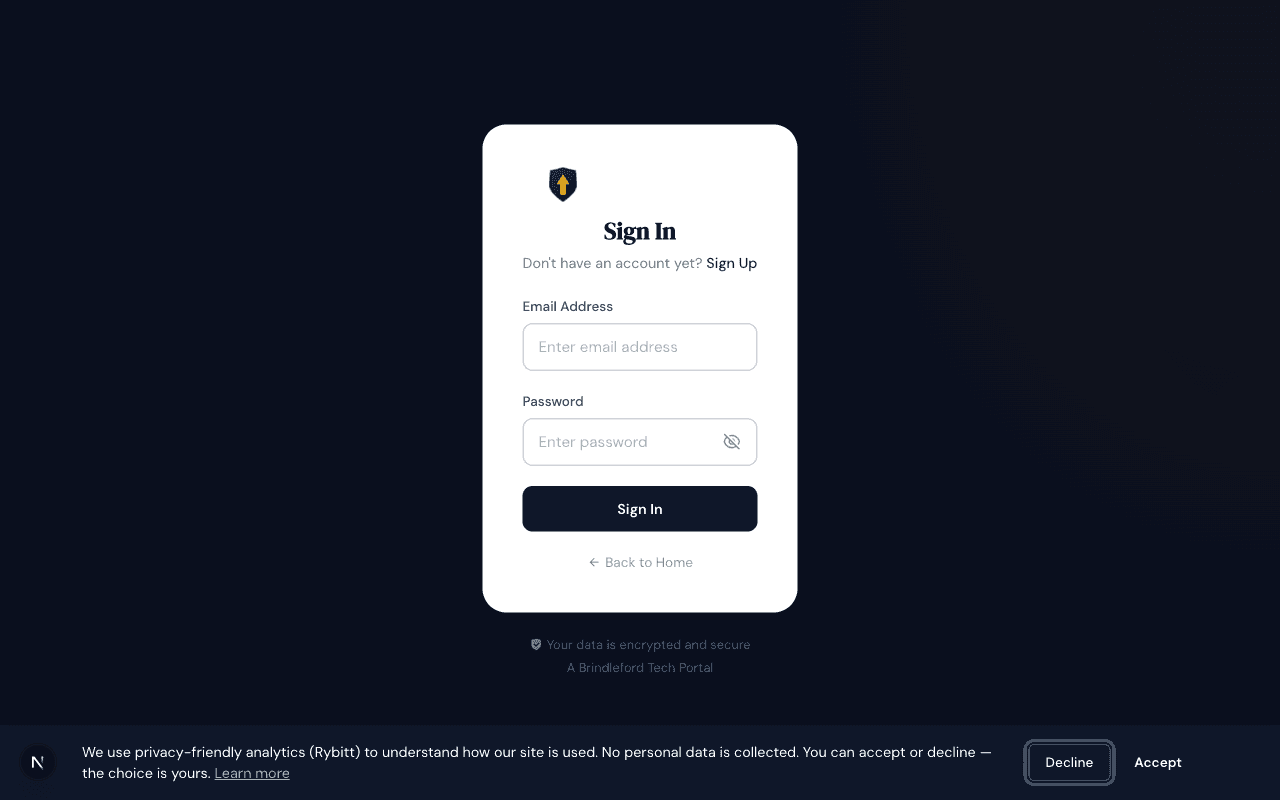
Login page with email and password fields
Sign In Securely

Returning? Sign in with your email and password. Your session is encrypted and expires automatically after 7 days for security.

Your Dashboard

Everything At a Glance

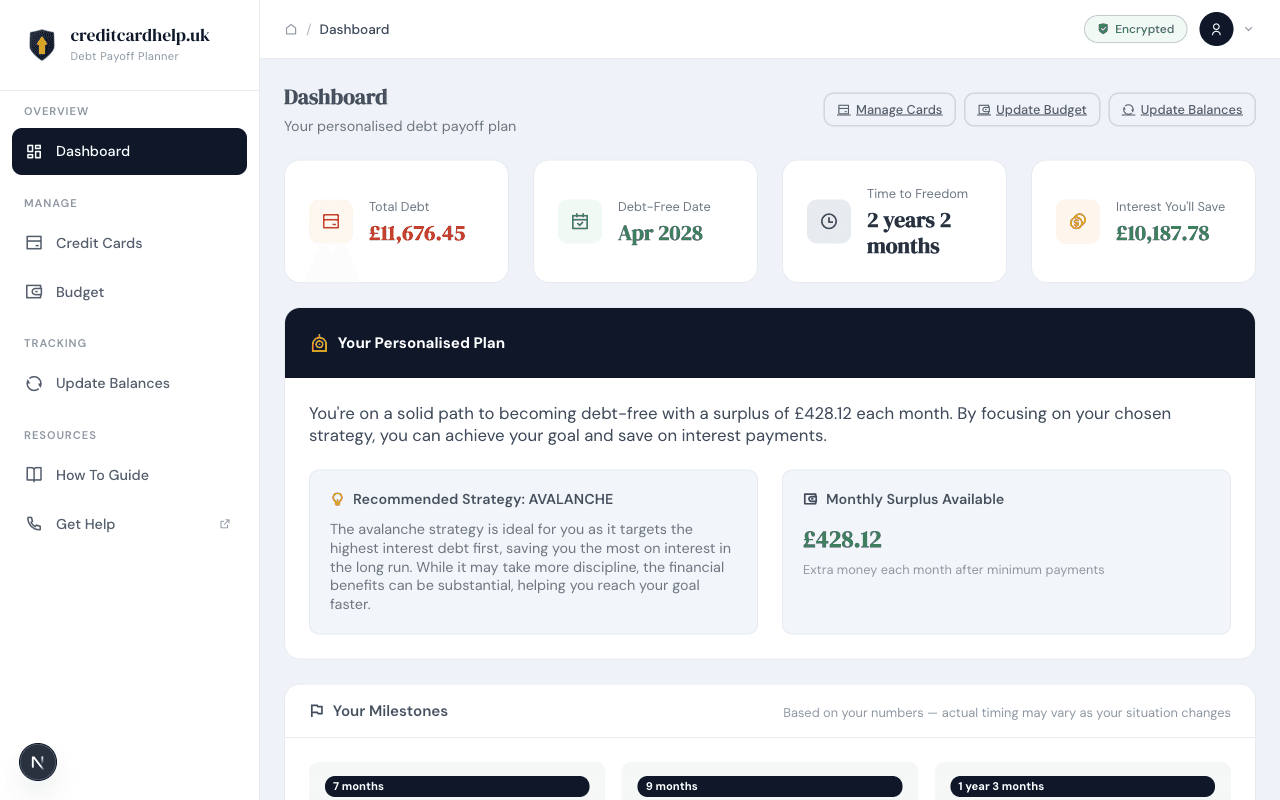
Your personalised debt payoff plan — total debt, debt-free date, strategy recommendation, milestones, and more.
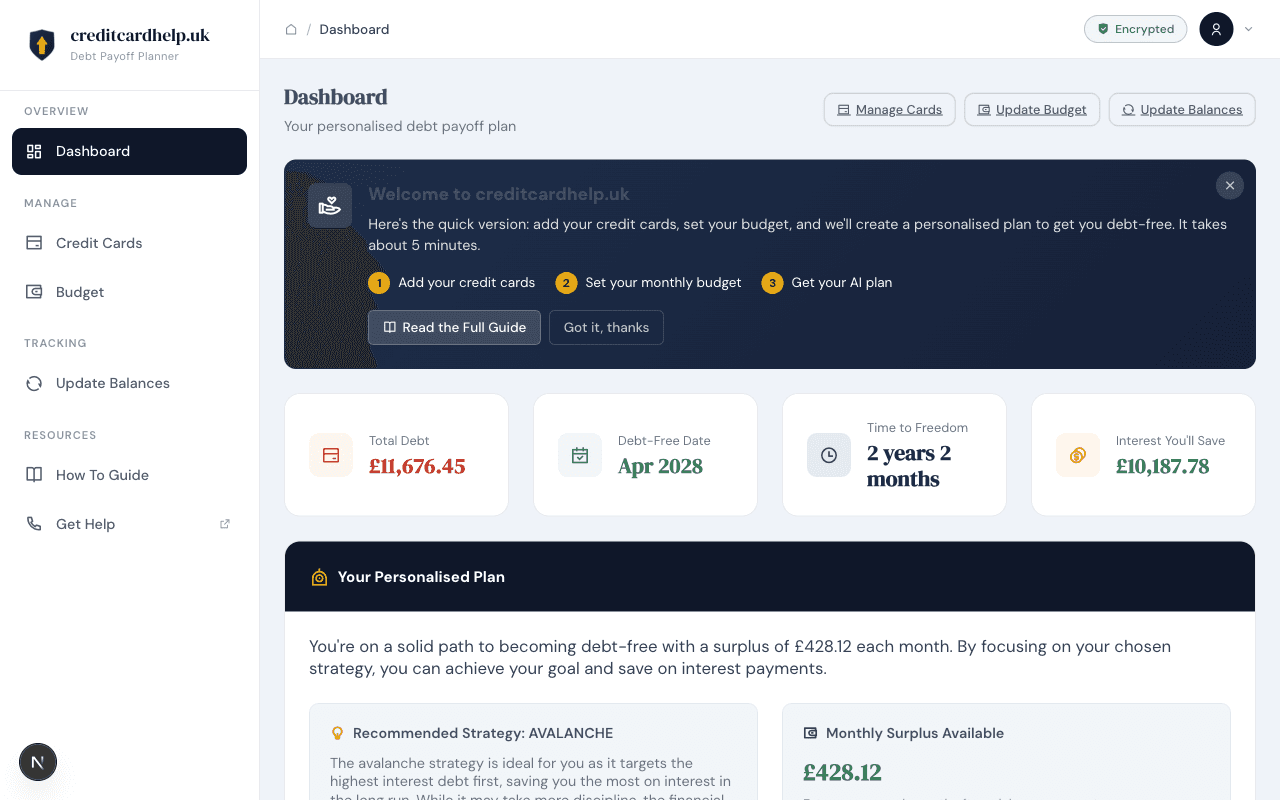
Dashboard showing welcome banner with setup steps
Welcome Banner

First-time users see a helpful guide: add your credit cards, set your budget, and get your AI plan. Three simple steps to getting debt-free.

Dashboard showing total debt, debt-free date, time to freedom, and interest saved
Key Stats at the Top

Four cards show the numbers that matter: your total debt (£11,676), when you'll be debt-free (Apr 2028), time to freedom (2 years 2 months), and how much interest you'll save (£10,187).

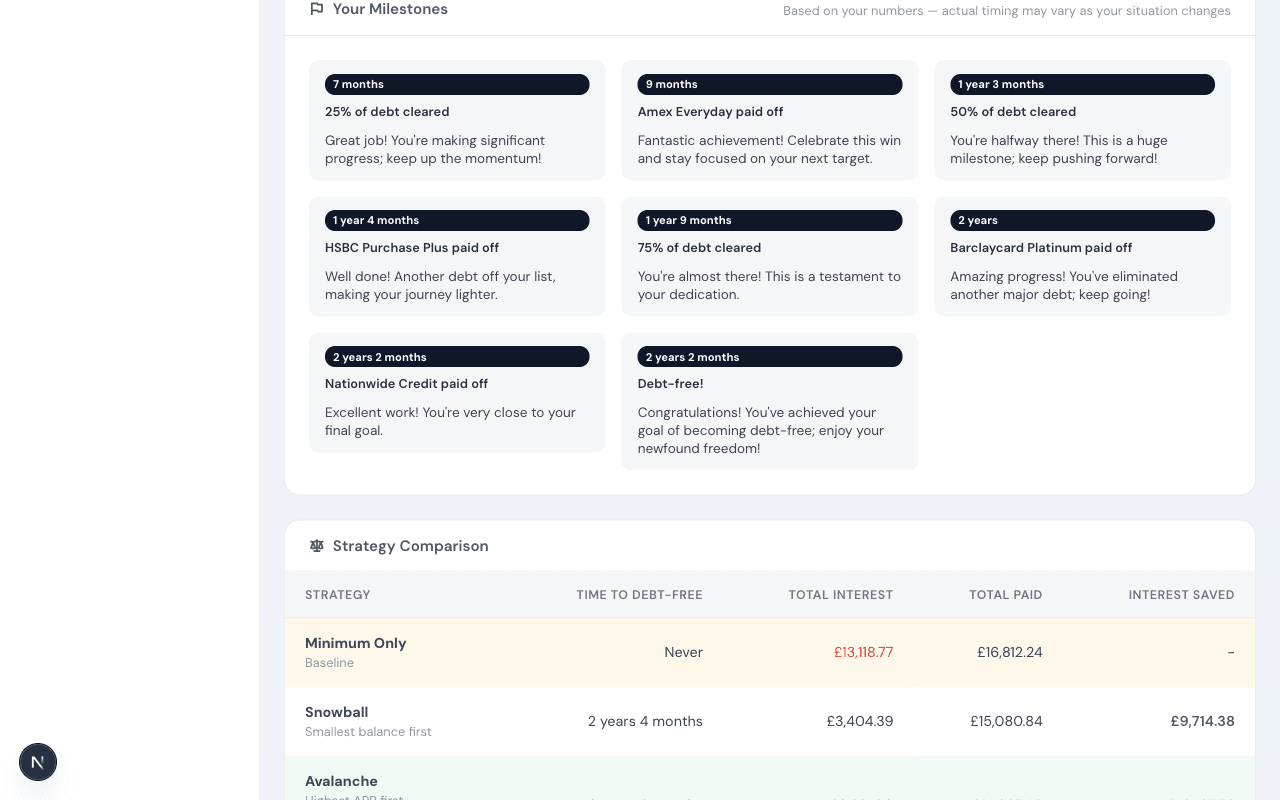
Milestone cards showing debt payoff journey from 7 months to debt-free
Your Milestones

A visual timeline of your journey. See when each card gets paid off, when you hit 25%, 50%, and 75% milestones, and when you finally reach debt-free. Each milestone includes an encouraging message.

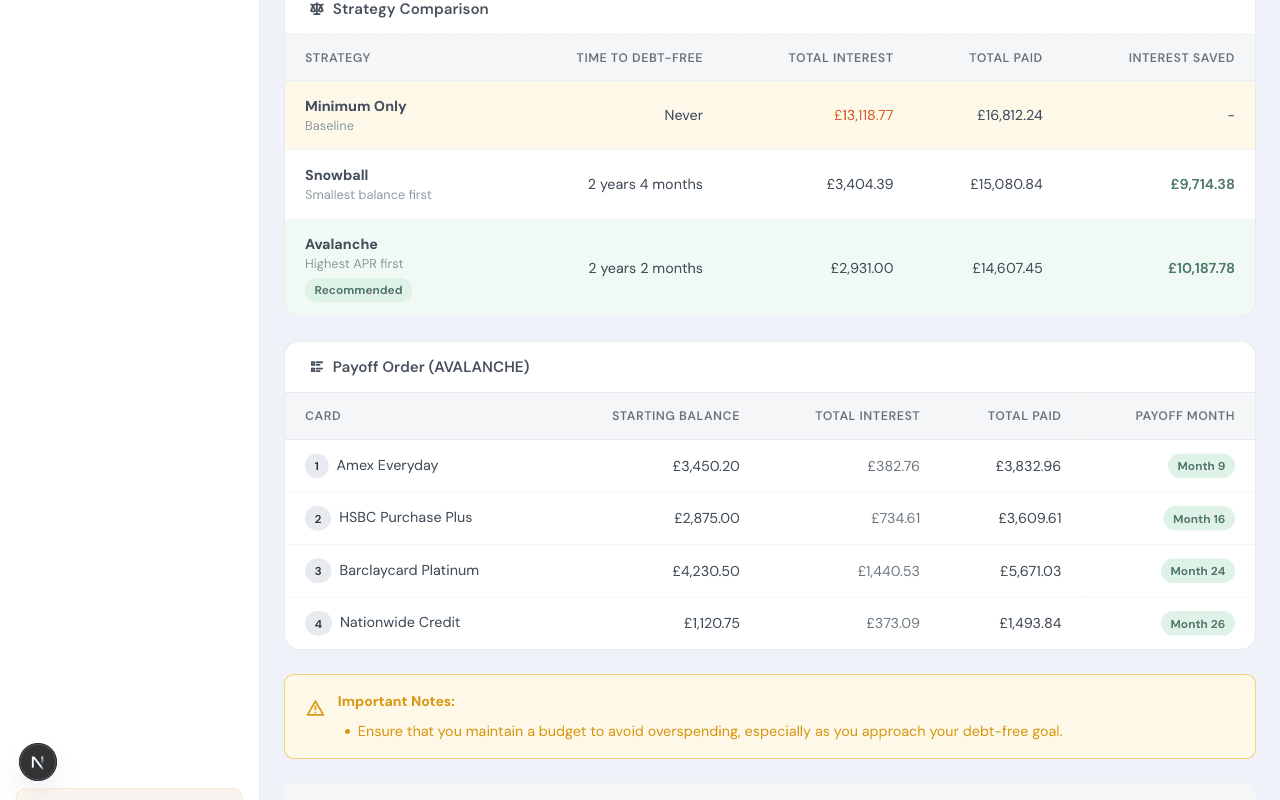
Table comparing Minimum Only, Snowball, and Avalanche strategies with payoff order
Strategy Comparison & Payoff Order

Compare Minimum Only, Snowball, and Avalanche side by side — see the time, interest, and total paid for each. Below, the recommended payoff order shows which card to tackle first.

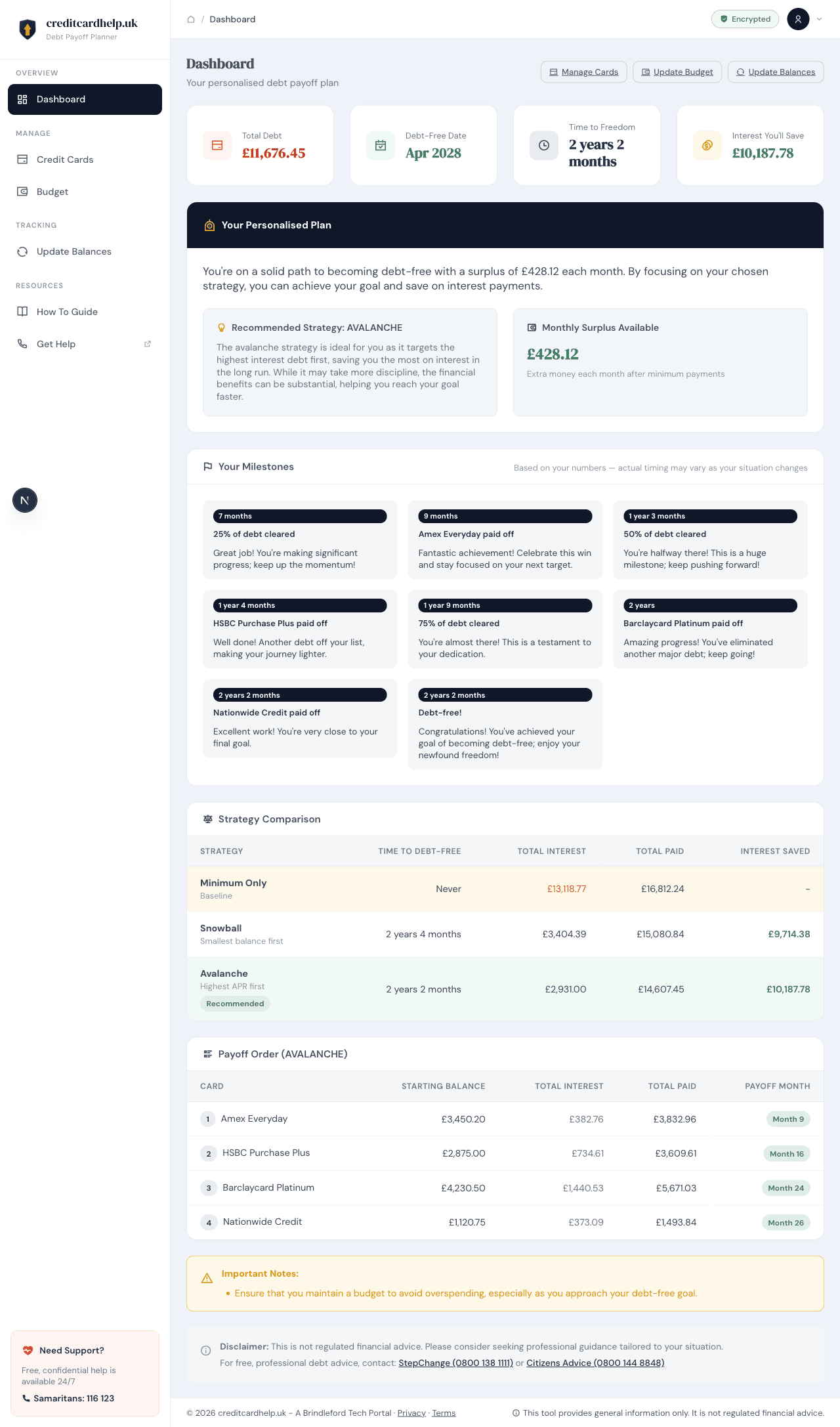
Full Page View

Want to see the entire dashboard in one view? Here's the complete page from top to bottom — stats, personalised plan, milestones, strategy comparison, payoff order, and important notes.
Complete dashboard page showing all sections from stats to disclaimer
The Complete Dashboard

Everything on one page: your key stats, AI-recommended strategy, surplus calculation, milestone timeline, strategy comparison table, and detailed payoff order with month-by-month breakdown.

Credit Cards

Manage Your Debts

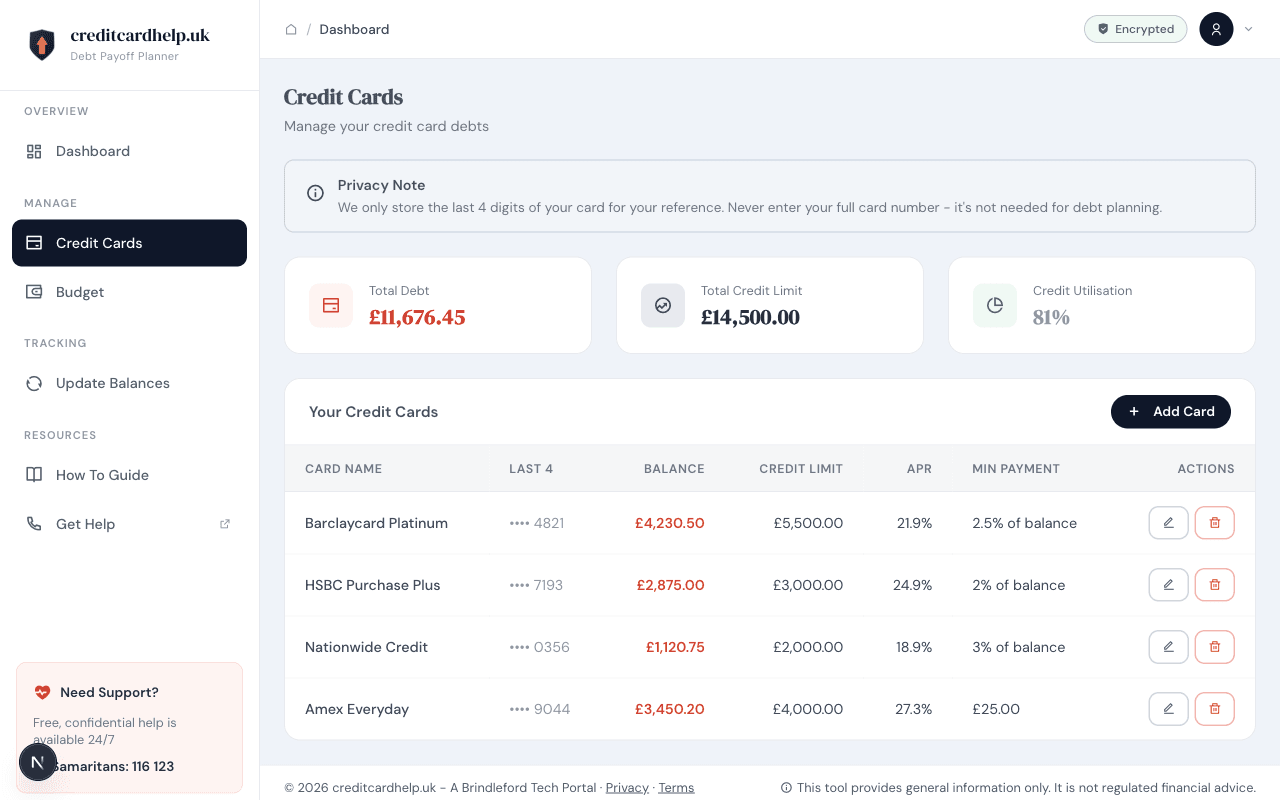
Add, edit, and manage your credit cards. We show total debt, credit limits, and utilisation at a glance.
Credit cards page showing card list with balances, APRs, and actions
Your Card List

See all your cards in one table: card name, last 4 digits, balance, credit limit, APR, and minimum payment. Summary cards at the top show total debt (£11,676), total credit limit (£14,500), and utilisation (81%).

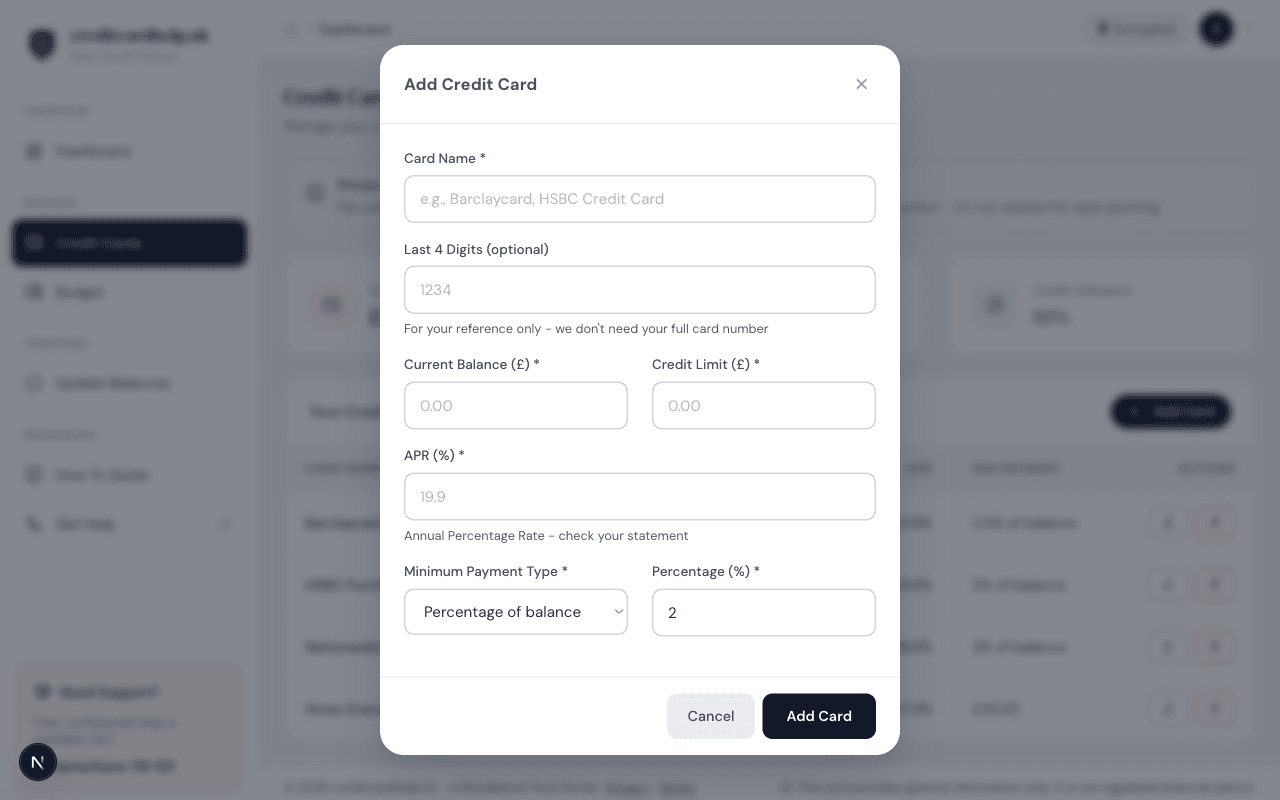
Add credit card modal with fields for name, balance, APR, and minimum payment
Add a New Card

Click 'Add Card' and fill in the details from your statement: card name, balance, credit limit, APR, and minimum payment type. The last 4 digits field is optional — for your reference only.

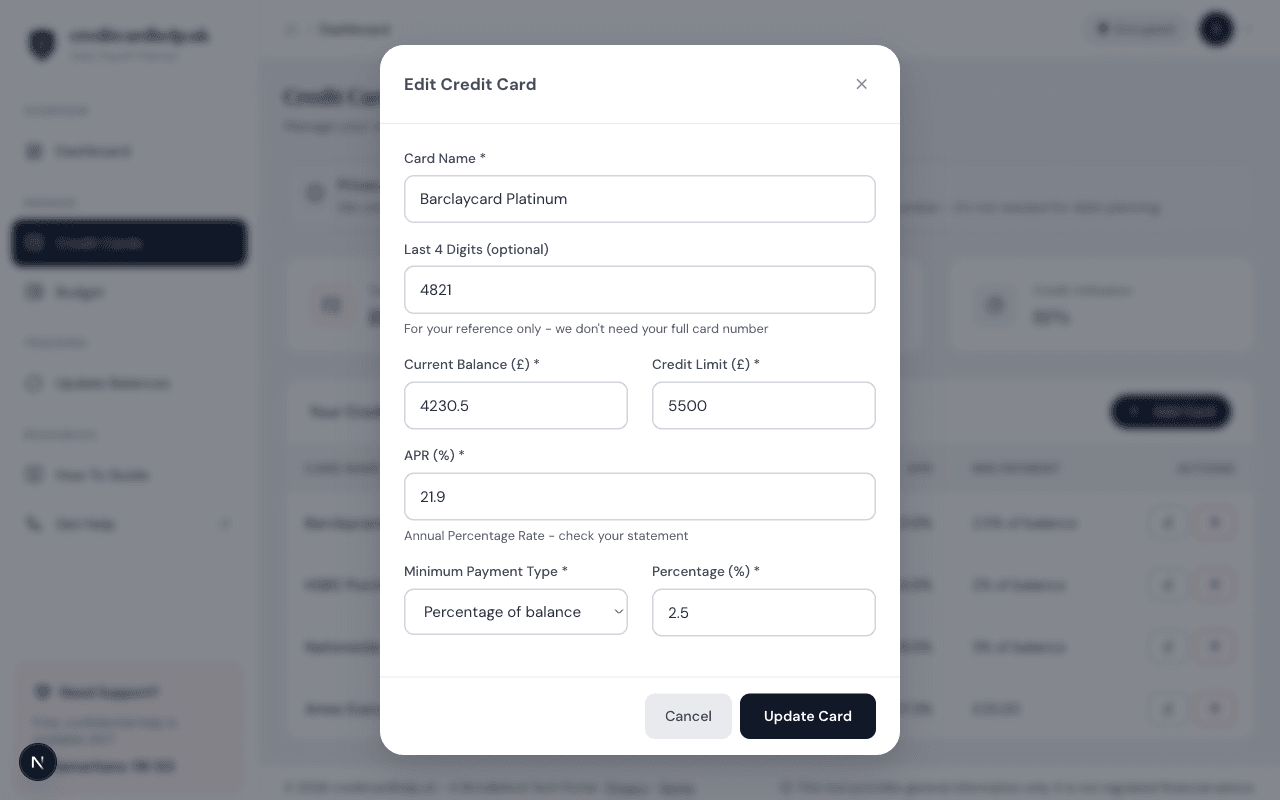
Edit credit card modal pre-populated with existing card data
Edit Card Details

Update any card at any time. The edit form pre-fills with your current data so you can quickly adjust a balance or correct an APR when your statement arrives.

Budget

Set Your Monthly Budget

Two numbers is all we need — your take-home pay and your essential outgoings. We calculate everything else.
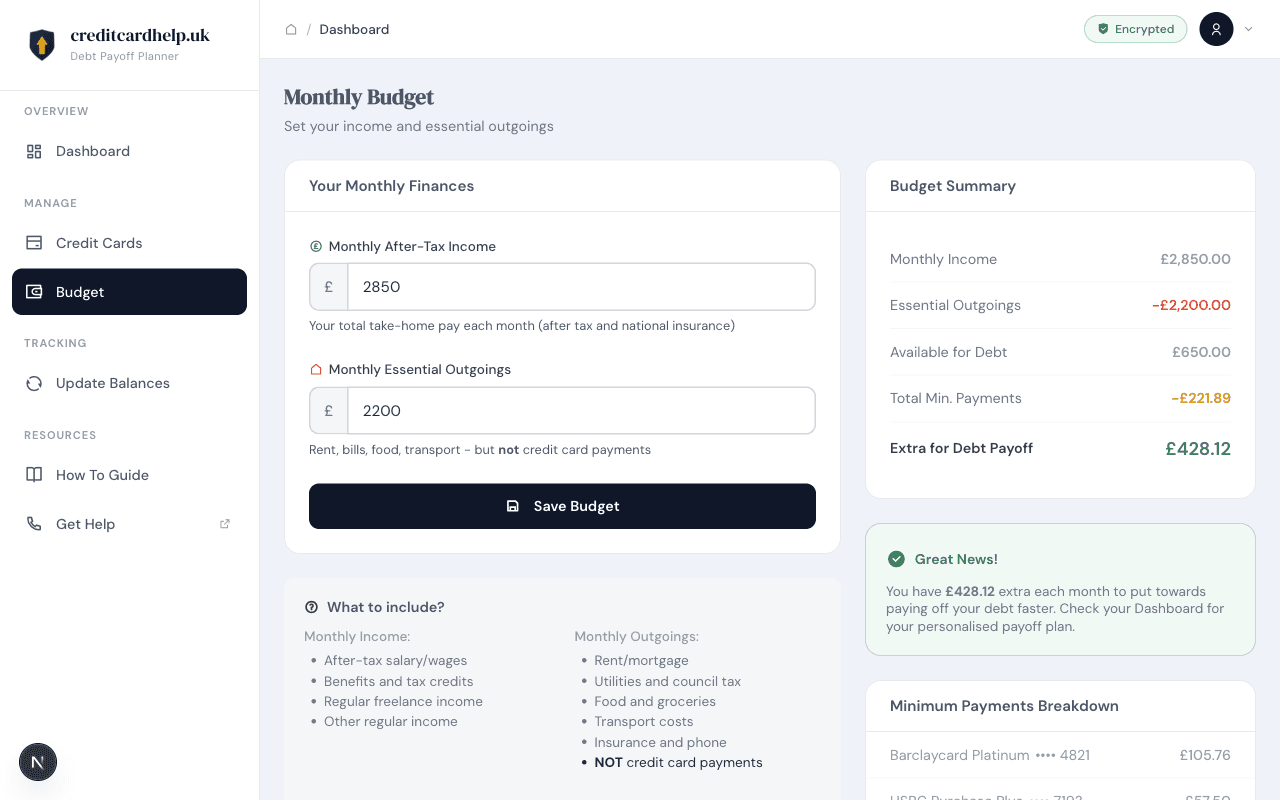
Budget page with income and outgoings form alongside summary calculations
Income & Outgoings

Enter your monthly after-tax income and essential outgoings (rent, bills, food — but NOT credit card payments). The Budget Summary on the right instantly calculates your available surplus: £428.12 extra per month for debt payoff.

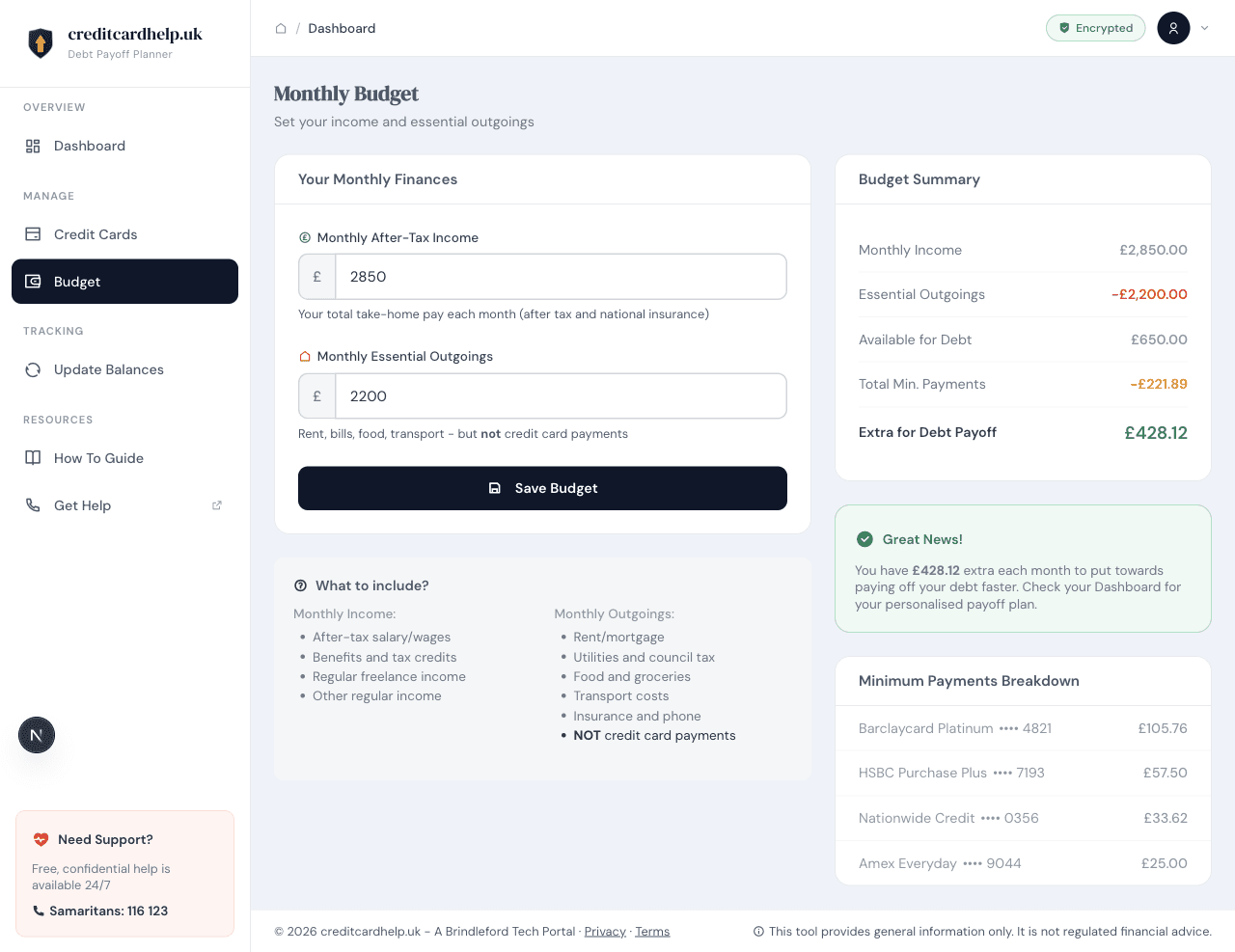
Full budget page showing form, summary, guidance, and minimum payments breakdown
The Complete Picture

Below the form you'll find guidance on what to include, a 'Great News' banner showing your surplus, and a breakdown of minimum payments across all your cards.

Track Progress

See How Far You've Come

Update your balances monthly and get an AI-powered review of your progress with personalised recommendations.
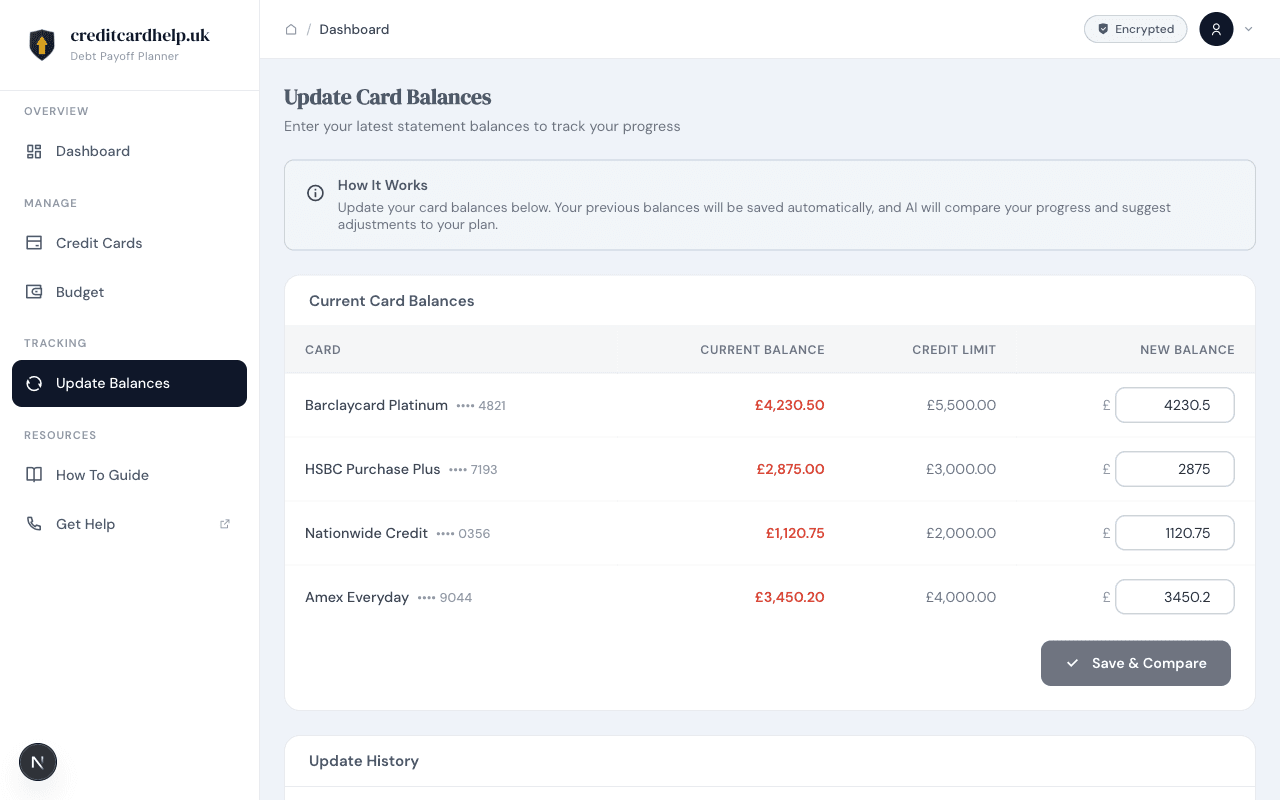
Update balances page with current balances and input fields for new balances
Update Your Balances

When your statements arrive, enter your new balances here. The table shows current balance and credit limit for each card, with input fields for the latest figures.

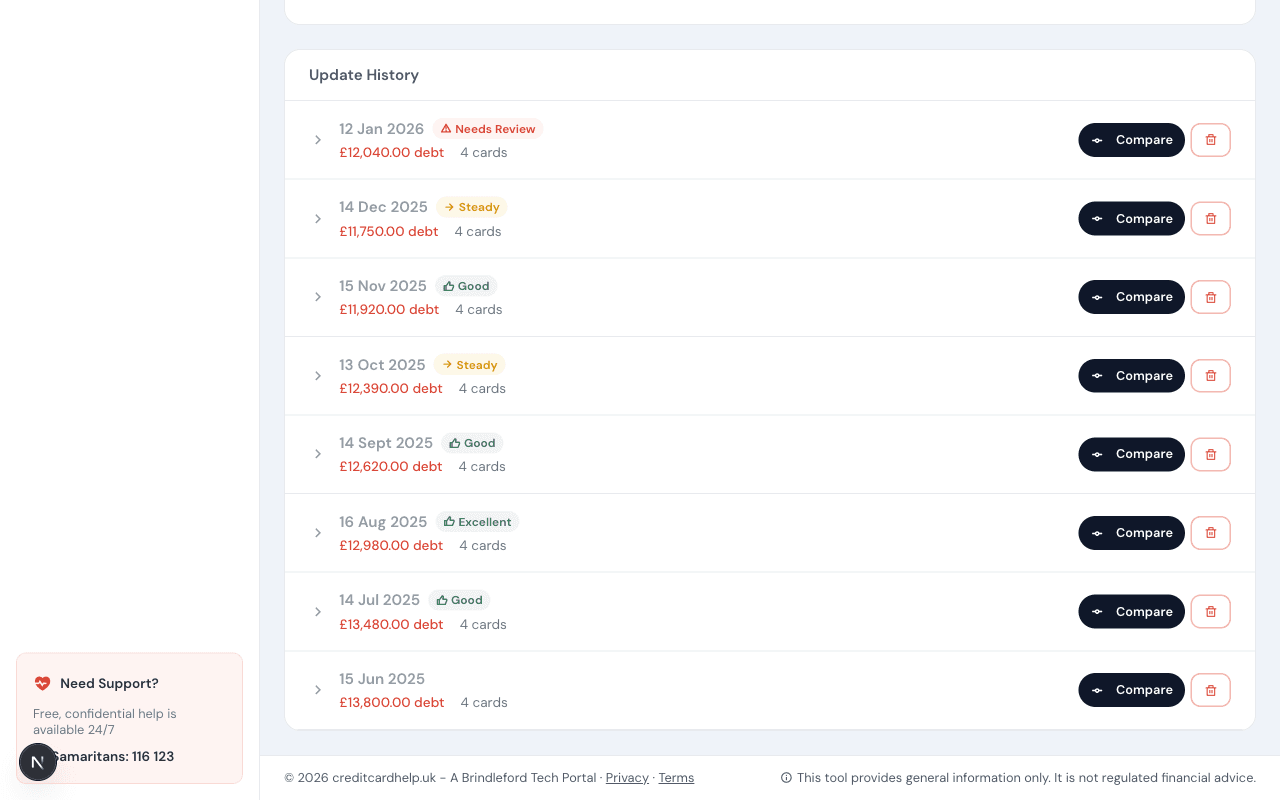
Update history showing monthly entries with status badges like Good, Steady, Excellent
Update History

Every update is saved automatically. Your history shows the date, total debt, and a status badge (Excellent, Good, Steady, or Needs Review) so you can see your trend at a glance.

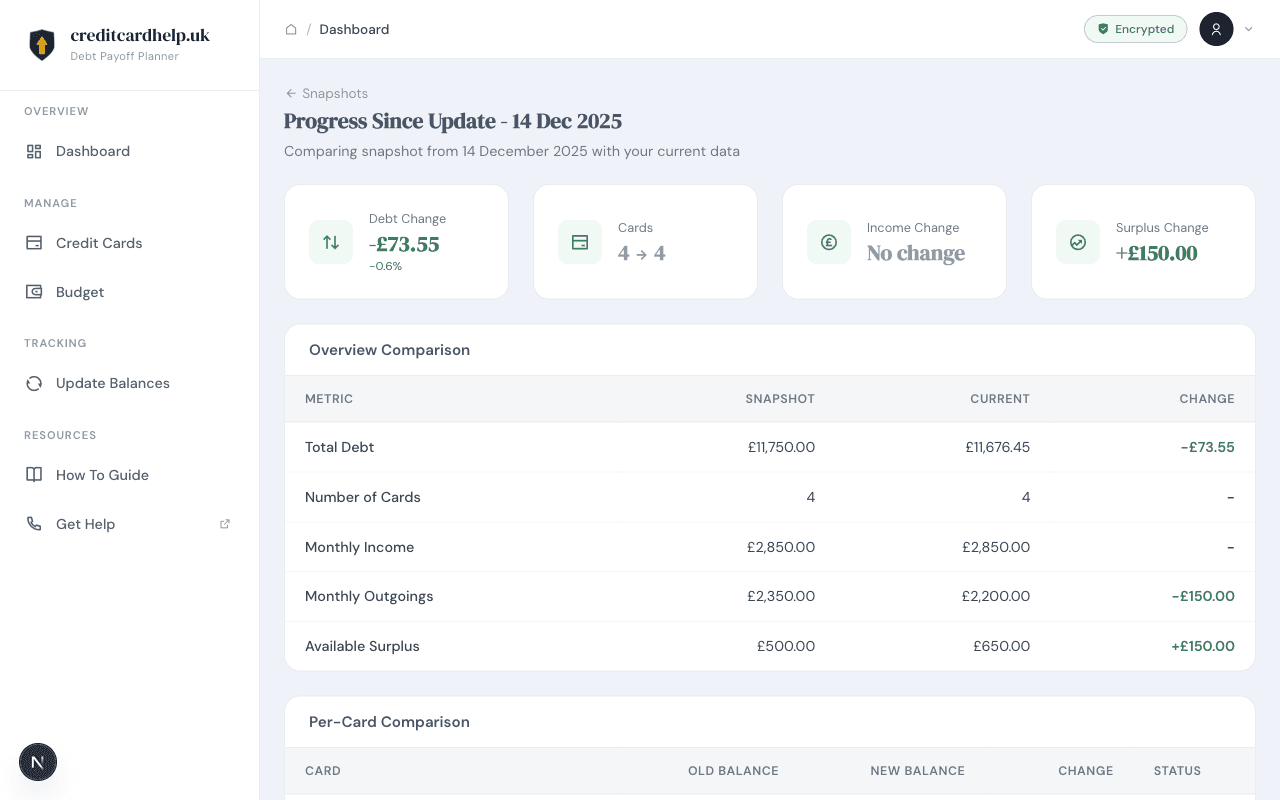
Progress comparison showing debt change, surplus change, and overview table
Side-by-Side Comparison

Click 'Compare' on any past update to see exactly what changed: debt movement (-£73.55), surplus change (+£150), and a detailed table comparing snapshot vs current data across all metrics.

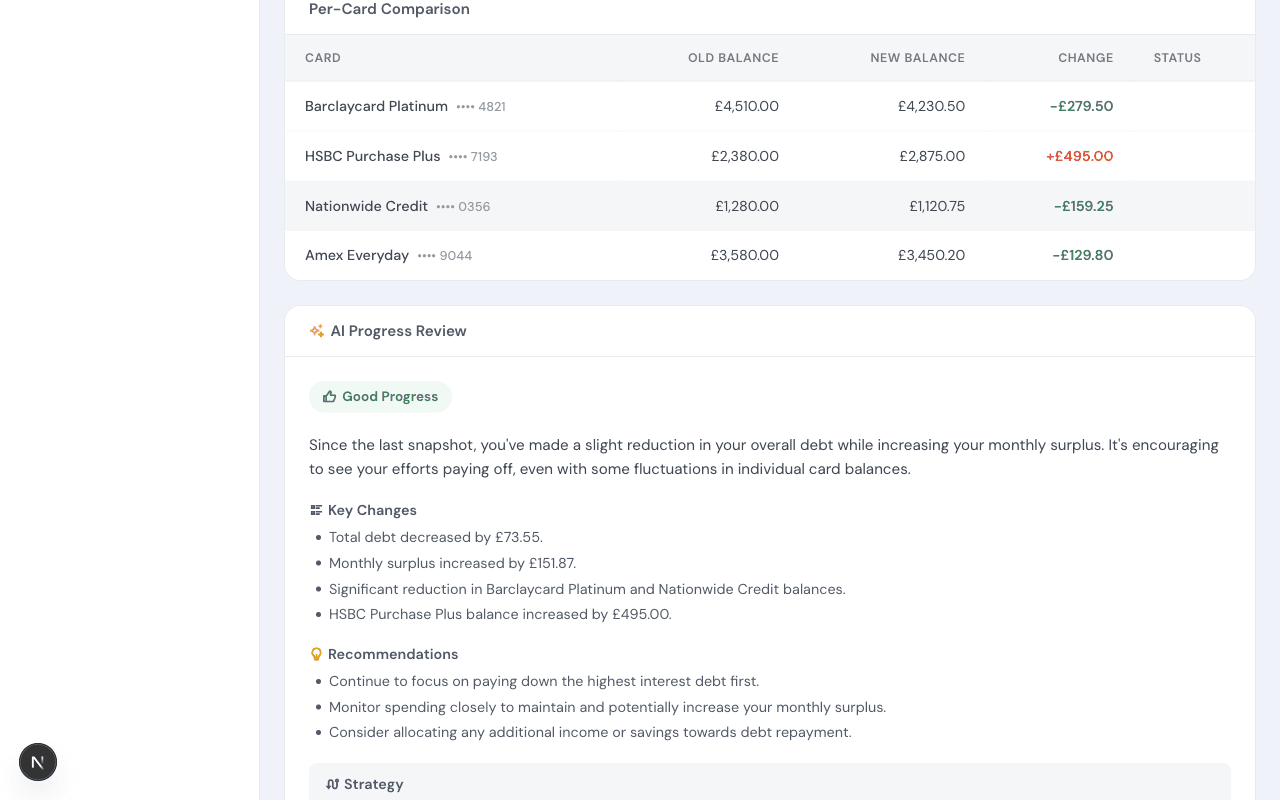
Per-card comparison table and AI progress review with recommendations
AI Progress Review

The AI analyses your changes card-by-card, highlights key trends (which balances went down, which went up), and gives specific recommendations. It's like a monthly financial check-up — completely free.

Built-In Guide

Help When You Need It

A comprehensive guide is built right into the app — plain English, no jargon, with step-by-step instructions.
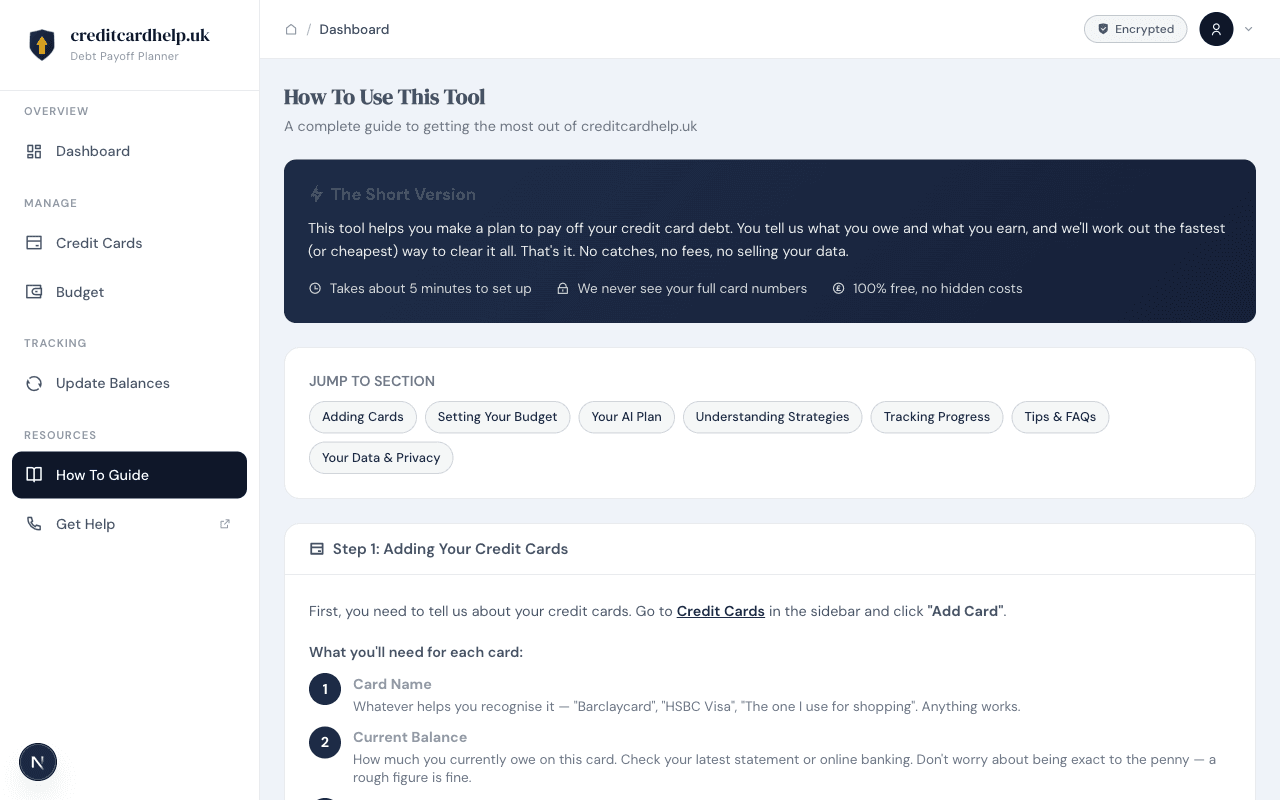
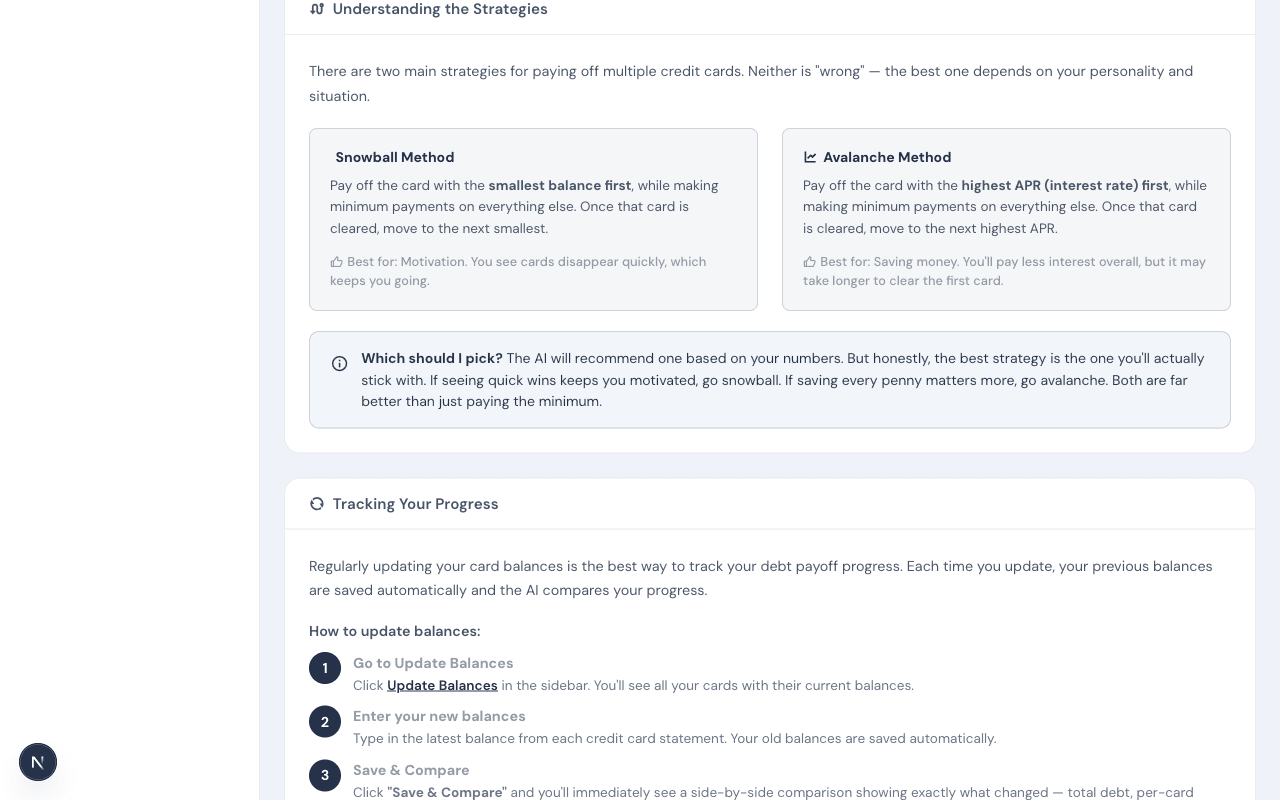
How-to guide page showing table of contents and step-by-step instructions
Step-by-Step Guide

The guide walks you through everything: adding cards, setting your budget, understanding your plan, and tracking progress. Jump to any section with the quick links at the top.

Snowball vs Avalanche strategy explanation with side-by-side cards
Understanding Strategies

Not sure which strategy to pick? The guide explains both Snowball (smallest balance first) and Avalanche (highest APR first) in plain English, with a helpful 'Which should I pick?' summary.

Your Data

Privacy-First, Always

You're always in control. Download your data, toggle email preferences, or delete everything — instantly.
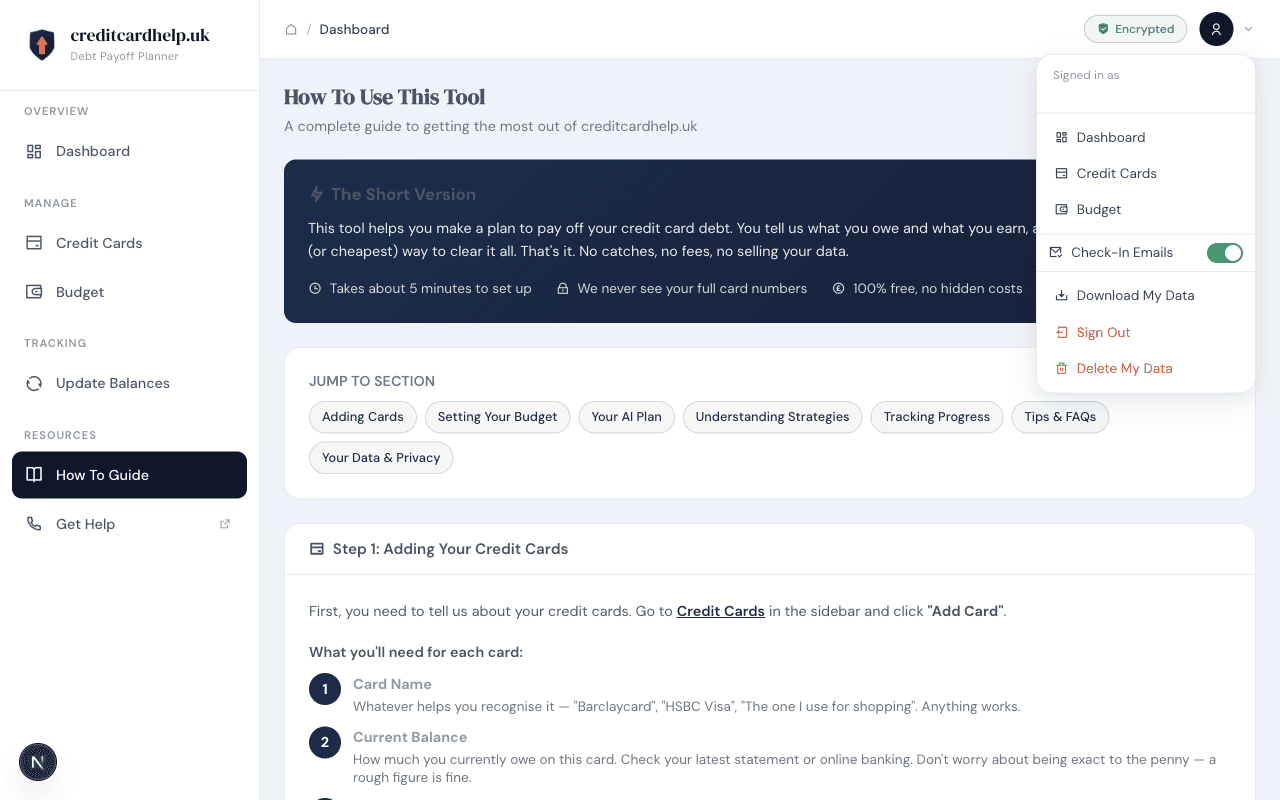
Profile dropdown showing email, navigation links, check-in emails toggle, download data, sign out, and delete data options
Profile Menu

Click your profile icon to see your options: navigate to any page, toggle check-in emails on or off, download all your data, sign out, or permanently delete your account and all associated data. No hoops, no waiting period.

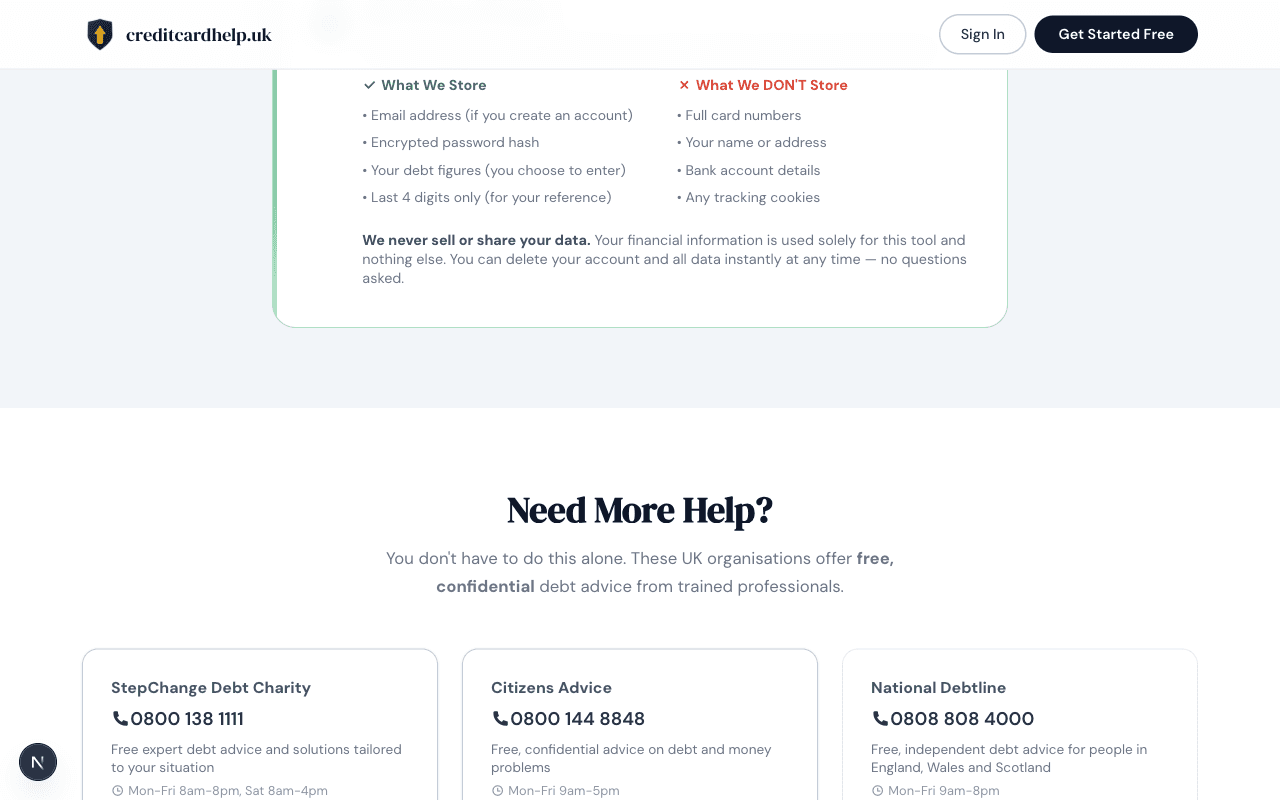
Privacy promise section showing what data is and isn't stored
Our Privacy Promise

We're transparent about data: we store your email, encrypted password, and the debt figures you enter. We never store full card numbers, your name, address, bank details, or tracking cookies. We never sell or share your data.

Ready to Start Your Free Plan?

Everything you've seen above is completely free. No credit card required, no hidden costs, no catches.